goceng betAndroid & iOS App

We at goceng bet offer mobile access to our sportsbook, live-dealer casino, and slot games through Android, iOS, and web platforms. Mobile-first design means you can deposit via DANA, e-wallet, mobile banking, local payment, online payment, or direct bank transfer, then access Liga 1 betting, live blackjack, Aviator slots, and esports markets from your phone or tablet.

goceng bet App
  1. StartFirst Game
  2. LoginOTP Verification
  3. and

Our mobile experience prioritizes account security and data efficiency. Two-factor authentication protects your login. KYC verification confirms your identity before your first withdrawal. Push notifications alert you to new games, tournament schedules, and account activity. Low-data mode reduces bandwidth usage on slower connections, making goceng bet accessible across Indonesia's varied network conditions.

Installation takes minutes. Choose Android APK, iOS browser access, or web app depending on your device. All three paths connect to the same account, so your balance, betting history, and game progress sync across platforms.

Installation Options for goceng bet

Android APK

Direct download and install on Android 7 or later. Fastest access to all goceng bet games.

Download APK
iOS Browser

Access goceng bet via Safari on iPhone or iPad. Add to home screen for app-like experience.

Open in Safari
Web App

Full goceng bet experience on desktop, tablet, or mobile browser. No installation required.

Open Web App

How to Install goceng bet on Your Phone

  • 1
    Download the goceng bet APK or open SafariStep 1

    Android users: download the APK file from our download link. iOS users: open Safari and navigate to goceng bet's web app.

  • 2
    Install or add to home screenStep 2

    Android: tap the APK file and follow the install prompts. iOS: tap Share and select Add to Home Screen.

  • 3
    Create or log into your goceng bet accountStep 3

    New users: enter username, email, password, and mobile number. Existing users: enter your username and password.

  • 4
    Start betting and playing on goceng betStep 4

    Deposit via DANA, e-wallet, mobile banking, local payment, online payment, e-wallet, or bank transfer. Access all games immediately.

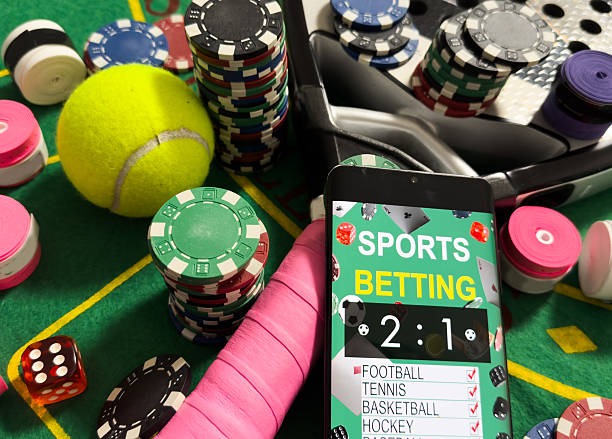
goceng bet mobile app interface showing sportsbook and casino games
goceng bet mobile app: sportsbook, live casino, and slots in one interface

App vs. Browser: Which Should You Use on goceng bet

The goceng bet Android app offers offline caching, meaning you can view your account balance and recent bets even without internet. Push notifications arrive instantly when new tournaments start or your withdrawal is processed. The app loads faster than the browser because it stores game assets locally. Battery usage is optimized for extended play sessions. If you use goceng bet daily, the Android app is the better choice.

The web app works on any device with a browser and requires no installation. You can access goceng bet from a friend's phone, a public computer, or a new device without downloading anything. The web app updates automatically, so you always have the latest version. If you switch devices frequently or prefer not to install apps, the web app is more convenient. iOS users must use the web app or add it to their home screen, as goceng bet is not available on the Apple App Store.

Sync across devices: Your goceng bet account syncs across all platforms. Deposit on your phone, check your balance on your computer, and place bets on your tablet — all in real time.

Device Compatibility for goceng bet

We support Android 7 and later on phones and tablets. The goceng bet app works on Samsung, Xiaomi, Oppo, Vivo, Realme, and other Android manufacturers. Minimum storage requirement is 50 MB for the APK. We recommend at least 2 GB of RAM for smooth performance during live games and multi-camera dealer streams.

iOS users need Safari on iPhone or iPad running iOS 12 or later. The web app works on all modern browsers including Chrome, Firefox, and Edge. We test goceng bet on devices from Jakarta, Surabaya, Bandung, and Medan to ensure compatibility across Indonesia's device ecosystem.

Troubleshooting goceng bet Installation

If the Android APK does not install, check that your device allows installation from unknown sources. Go to Settings → Security → Unknown Sources and enable it. Some devices require you to trust the certificate before installation completes. If you see a certificate warning, tap Trust and retry. If the app crashes after installation, clear the app cache by going to Settings → Apps → goceng bet → Storage → Clear Cache.

If the iOS web app does not load, clear your Safari cache by going to Settings → Safari → Clear History and Website Data. Try opening goceng bet in a private browsing window. If you added goceng bet to your home screen and it does not open, delete the icon and re-add it. Ensure your device has at least 100 MB of free storage.

If you cannot log in, verify that your username and password are correct. If you forgot your password, use the password reset link on the login screen. We'll send a verification code to your registered email or phone. If you still cannot access goceng bet, contact our support team via live chat.

goceng bet account security features including two-factor authentication
goceng bet account security: two-factor authentication and KYC verification

Data, Permissions, and Account Security on goceng bet

The goceng bet app requests permission to access your device's storage (for caching game assets), camera (for account verification photos), and contacts (optional, for account recovery). We do not sell your permissions data to third parties. Your account data is encrypted in transit and stored on secure servers. We use two-factor authentication to protect your login. KYC verification confirms your identity before your first withdrawal. Your deposit and withdrawal history is encrypted and visible only to you and our compliance team.

We comply with Indonesia's data protection standards. Your personal data is processed only for account verification, payment processing, and anti-money-laundering compliance. We do not use your data for marketing without your explicit consent. If you delete your goceng bet account, your data is retained for seven years as required by law, then permanently deleted.

Install
Android & iOS
Access
Sportsbook & Casino
Deposit
DANA, e-wallet, mobile banking
Support
Live Chat & Email